Download manager · Ubuntu · macOS · Windows

Every download,
at full speed.

A fast, IDM-style download manager that splits every file into up to 32 parallel connections, pauses and resumes across sessions, and catches links straight from your clipboard — built on Tauri v2 + Rust.

Free · small Tauri binary · portable build needs no install & no admin

Nodal main window: a table of downloads with speeds, progress bars and statuses
  • Tauri v2
  • Rust
  • 32 connections
  • HTTP Range
  • Cross-session resume
  • Clipboard auto-catch
  • Portable
  • Low memory
32×
parallel connections per file
3
platforms — Ubuntu, macOS & Windows
0admin
portable build & per-user installers
100%
resume — even after closing the app

Speed you can watch

Built to saturate your connection.

01

Segmented, multi-connection downloads

Nodal splits every file into up to 32 parallel connections and pulls each range at once — the classic IDM trick for pinning a slow server at full line speed. Segments are written straight into place, so there's no slow merge step at the end.

  • Up to 32 connections per file
  • HTTP Range requests, written in place
  • No copy-and-merge pass when it finishes
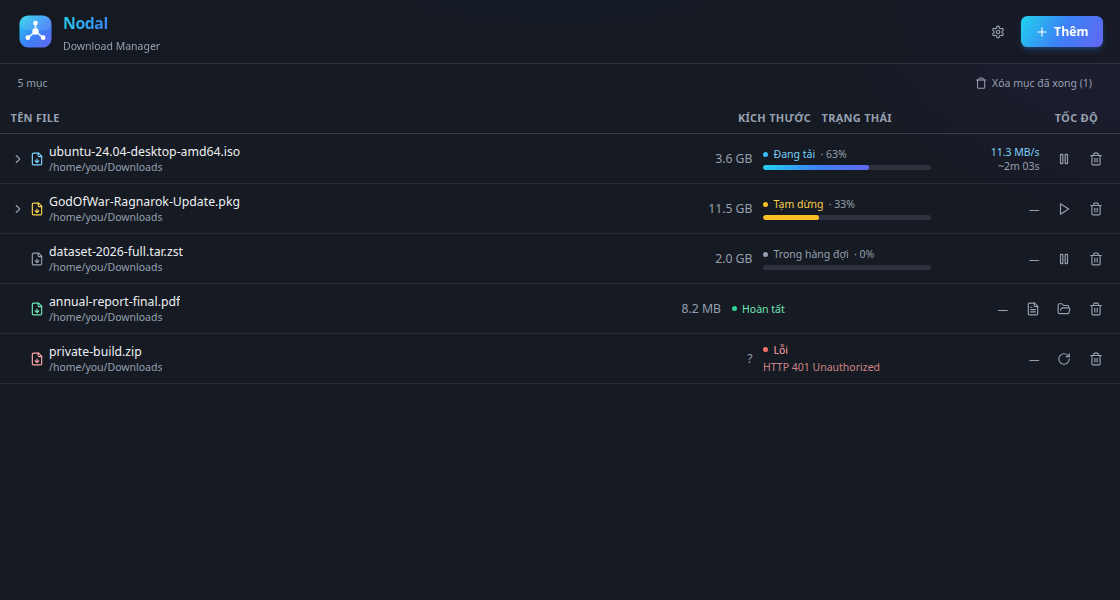
Nodal downloads table showing live speeds and progress bars
02

Auth, headers & re-download with config

Add Basic, Bearer or API-key auth — or any custom headers — per download. Hit a 401? Right-click the errored item, pick re-download with config, drop in credentials and it picks up from where it stopped.

  • Basic / Bearer / API-key auth
  • Arbitrary custom request headers
  • Fix a 401 without re-copying the link
Nodal add-download dialog with URL, auth and headers tabs
03

Clipboard auto-catch

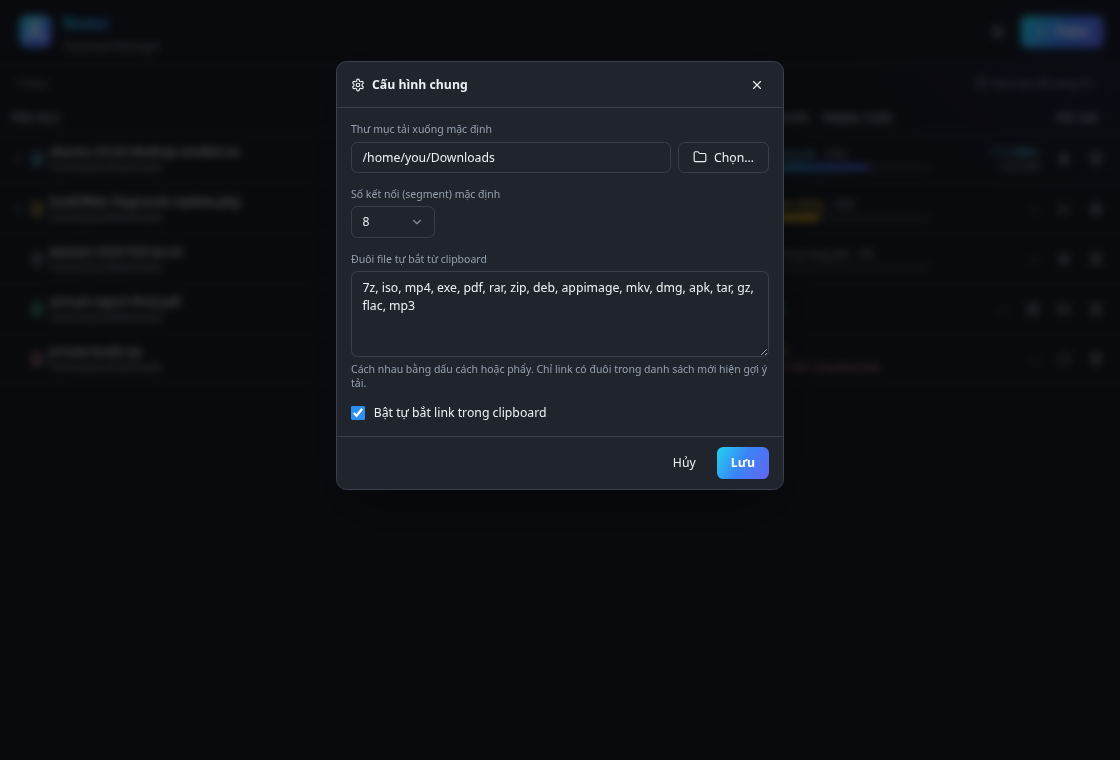
Copy a link that ends in a file extension Nodal watches for, and it offers a one-click download straight to your default folder — no dialog, no pasting. The catch-extension list, default folder and segment count all live in one settings panel.

  • Watches your clipboard for known files
  • Configurable catch-extension list
  • One click to your default folder
Nodal settings dialog: default folder, segments and catch-extensions
04

Pause, resume & per-part progress

Stop any download and it resumes exactly where it left off — even after you quit and reopen Nodal, because every segment's state is persisted to disk. Flaky connections retry per segment, and you can expand any active download to watch each connection tick up live.

  • Resume after a full app restart
  • Per-segment state saved to disk
  • Auto-retry on a per-connection basis
Nodal download expanded to show per-connection progress

Add it and forget it

A queue that runs itself.

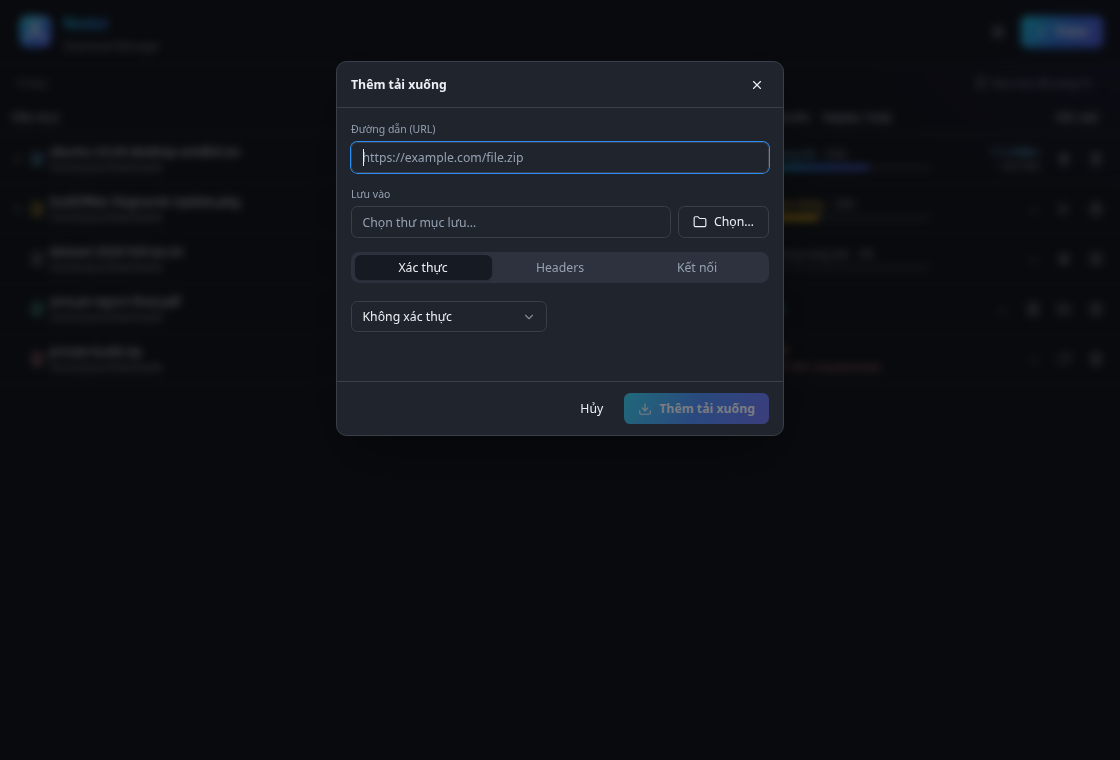
Paste a URL, pick a folder and a segment count, and add it. Nodal runs several downloads at once up to your max-concurrent setting; the rest wait in line and auto-start the moment a slot frees up — so you can queue a hundred files and walk away.

Nodal add-download dialog with URL, folder and connection options
1Paste or catch a URL
2Set folder & segments
3It runs or queues
4Slots auto-start next

The full toolbox

Everything a power downloader wants.

Segmented engine

Up to 32 range connections per file, no merge step.

Cross-session resume

Per-segment state on disk survives an app restart.

Self-running queue

Configurable max concurrent; the rest auto-start.

Per-part progress

Expand a download to watch every connection live.

Clipboard auto-catch

Copy a known link, get a one-click download.

Auth & custom headers

Basic, Bearer, API-key or any header, per download.

Rich right-click menu

Retry, re-download with config, open, copy, delete.

Global config

Default folder, default segments, catch-extensions.

Portable & offline

Runs from a folder or USB — no install, no traces.

Why it feels fast

Native and light, not a browser in disguise.

Nodal is Tauri v2 — a small Rust binary instead of a bundled Chromium. The download engine lives in Rust: it opens HTTP Range requests across many connections, writes each segment straight into the final file, and tracks progress with almost no overhead. Small on disk, gentle on memory, quick to start.

Small & light

A compact Rust binary with a low memory footprint.

Range, not merge

Segments write in place — no giant copy at the end.

Cross-platform

One codebase for Linux, macOS & Windows.

Get started

Download Nodal.

Grab the installer for your platform below. On Windows, the portable .zip runs straight from a folder — no install, no admin.

All versions & older releases

macOS builds are ad-hoc signed — on first launch run xattr -rd com.apple.quarantine /Applications/Nodal.app.